
Agentuity just launched a cloud where agents can actually build - powered by Neon
/Changelog

Changelog

The latest product updates from Neon

RSS feed

70 projects on the Free plan

We've increased the project limit on the Free plan to 70 projects.
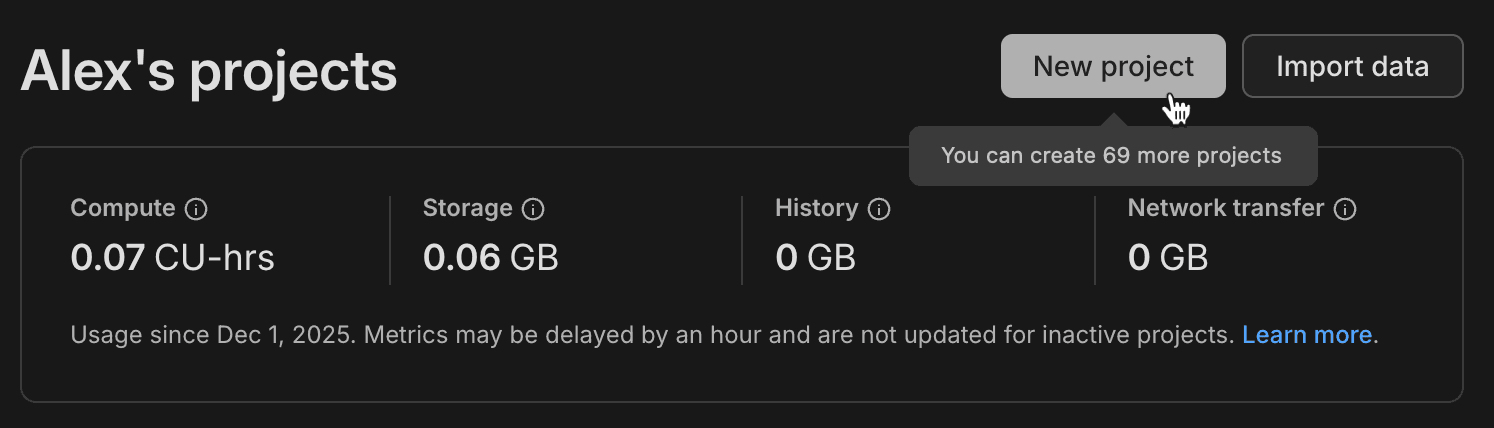
Free plan 70 projects

That's 70 separate database projects you can spin up, experiment with, and build on. Whether you're prototyping ideas, learning Postgres, or running multiple side projects, you've got plenty of room to work.

This change applies automatically to all Free plan users. No action required. For more information about plan limits, see Neon plans.

Learn about why we increased project limits on the Free plan

Postgres version updates

We updated supported Postgres versions to 14.20, 15.15, 16.11, 17.7, and 18.1, respectively.

When a new minor version is available on Neon, it is applied the next time your compute restarts. For more about how we handle Postgres version upgrades, refer to our Postgres version support policy.

New Data API advanced settings

The Neon Data API provides a ready-to-use REST API for your Neon database, letting you query tables, views, and functions using standard HTTP requests. We've added two new options to the Advanced settings panel:

  • OpenAPI mode — Enables automatic generation of an OpenAPI schema for your Data API. Use it to generate API documentation, build typed client libraries, import your API into Postman, or integrate with API gateways.
  • Enable server timing headers — Adds Server-Timing headers to API responses, showing how long different parts of each request took to process. Use this to debug slow queries, measure performance, and troubleshoot latency issues.

To learn more about Data API advanced settings, see Manage Data API.

Neon is now a Kiro Power

Kiro announced powers at AWS re:Invent — a new way for developers to access curated tools directly from the IDE. Neon is one of the first launch partners, alongside Figma, Stripe, and Postman.

Kiro Neon Power

With the Neon power, you can manage your Postgres databases without leaving Kiro:

  • Deploy instantly — Provision a Neon database in seconds whenever your workflow needs a Postgres backend.
  • Branch for safe testing — Create lightweight, isolated copies of your database to test migrations, validate queries, or run integration tests without touching production.
  • Time-travel and restore — Roll back to any past state, inspect historical data, or restore from a previous point in time.

Read more: Just Launched: Neon Is Now a Kiro Power

Custom Neon agents for GitHub Copilot

GitHub Copilot now supports custom agents, and we've built two specialized agents that bring Neon's branching workflow directly into your IDE:

  • Neon Migration Specialist — Safe Postgres migrations with zero downtime. Test schema changes in isolated database branches, validate, then apply to production—all automated with support for Prisma, Drizzle, or your favorite ORM.

  • Neon Performance Analyzer — Identify and fix slow Postgres queries automatically. Analyzes execution plans, tests optimizations in isolated branches, and provides clear before/after performance metrics with actionable code fixes.

Both agents leverage Neon's instant branching to give you a safe environment for testing database changes before they hit production.

To learn more about using these agents, see Neon agents for GitHub Copilot.

Fixes & improvements
  • Computes

    • Scale to zero is no longer available for computes larger than 16 CU. To ensure best performance, large computes remain always active. For more information, see Configuring Scale to Zero.
    • The default minimum autoscaling compute size for new projects is now 0.25 CU across all Neon plans (Free, Launch, and Scale). This change does not affect existing projects. You can update your default compute size settings in your project settings.
  • Vercel integration

    • Fixed an issue where data transfer quota exceeded errors were not properly reported when creating branches through the Vercel integration.
    • Added safety checks to prevent accidental deletion of default branches, protected branches, and branches with children during Vercel deployment cleanup.
    • Fixed an issue where project deletion failed when removing a Vercel native integration if the project had protected branches. Protected branches are now automatically unprotected before deletion.
    • Fixed an issue where the wrong database role was selected in Vercel integration settings when switching between different Neon projects.
  • Data masking

    • Added new masking options: random unique email for columns with uniqueness constraints, random int/bigint/date between for customizable value ranges (also supports timestamp columns), and dummy name, fake IBAN, and dummy credit card number for generating realistic fake data.
    • The "Replace with NULL" masking option is no longer shown for non-nullable columns.
    • Fixed an issue where the Apply masking rules button on the Data masking page showed an infinite loading spinner for branches with no applied masking rules.
  • Neon API

    • The Retrieve role details endpoint now returns an authentication_method field indicating how the role authenticates (password, oauth, or no_login).
More projects on the Free plan

Another week, another increase: The Neon Free plan now includes:

  • 50 projects
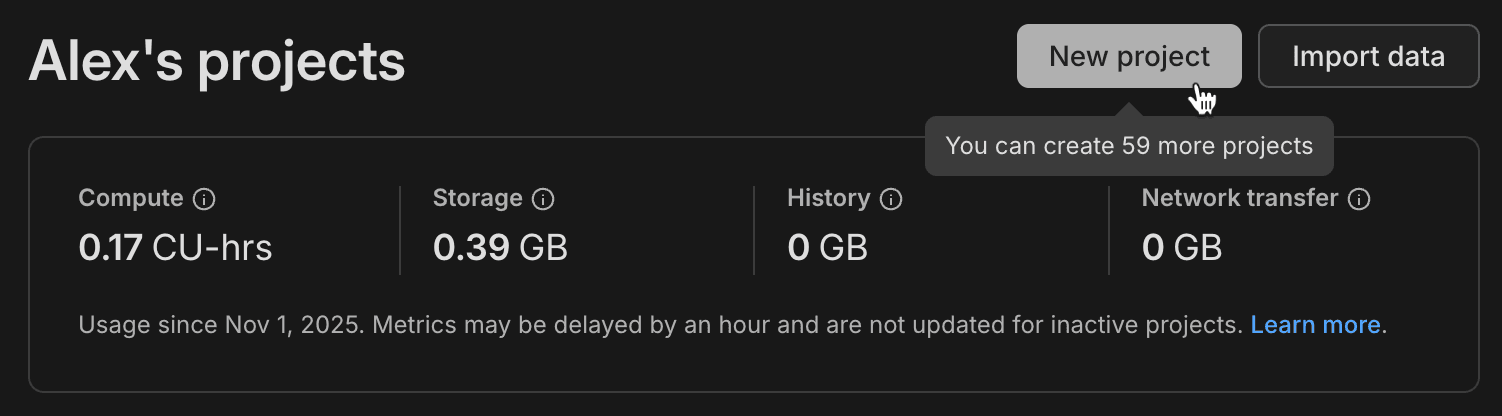
  • 60 projects

More projects means more room to experiment, prototype, and build without worrying about limits.

Dashboard page showing 60 Free Plan projects

This change applies automatically to all Free plan users. No action required. For more information about plan limits, see Neon plans.

Learn about why we're increasing project limits on the Free plan

AI-powered Neon setup expands to VS Code and Claude

The one-command Neon setup, which configures the Neon MCP Server for AI-assisted project onboarding, now supports VS Code with GitHub Copilot and Claude Code CLI in addition to Cursor.

Run this command in your project directory:

npx neonctl@latest init

  Adding Neon to your project

  Which editor(s) would you like to configure? (Space to toggle each option, Enter to confirm your selection)
 Cursor
 VS Code
 Claude CLI

  Authenticating
┌────────┬──────────────────┬────────┬────────────────┐
 Login Email Name Projects Limit
├────────┼──────────────────┼────────┼────────────────┤
 alex alex@domain.com Alex 60
└────────┴──────────────────┴────────┴────────────────┘
  Authentication successful

  Installed Neon MCP server

  Success! Neon is now ready to use with Cursor / VS Code.


  What's next? ─────────────────────────────────────────────────────────────╮
│                                                                            │
│  Restart Cursor / VS Code and type in "Get started with Neon" in the chat  │
│                                                                            │
├────────────────────────────────────────────────────────────────────────────╯

After setup, ask your AI assistant to "Get started with Neon" to launch an interactive onboarding guide. The guide analyzes your codebase and walks you through selecting or creating a project, configuring connection strings, installing dependencies, and more, all with contextual recommendations.

For more details about this feature, see our blog post.

HIPAA support now available for Postgres 18

HIPAA compliance is now supported for Postgres 18 projects in AWS regions. You can now create Postgres 18 projects in HIPAA-enabled Neon organizations and enable HIPAA compliance on existing Postgres 18 projects.

For more information, see HIPAA compliance.

Four ways platforms integrate with Neon

Whether you're building an agent platform, a developer tool that needs instant Postgres, or a SaaS that offers databases to users, there's a platform integration path designed for your use case:

AI Agents integration — For codegen and agent platforms that need database versioning and isolated environments (platforms like Replit and CMS systems like Strapi)

Claimable database flow — For plugins and platforms that want instant Postgres as part of their developer experience, with no signup required upfront (see TanStack, Netlify DB, or try Instagres at neon.new)

Embedded Postgres — For SaaS platforms offering Postgres to users (platforms like Retool, which manages 300k+ databases, and Koyeb, which offers serverless Postgres)

OAuth integration — For tools that interact with existing Neon accounts (platforms like Hasura Cloud, which uses OAuth for authentication and database provisioning)

If you're building an agent platform, check out the Neon Agent Plan, designed specifically for platforms that need to manage large fleets of databases with flexible resource limits and instant provisioning. Early-stage startups can also apply to the Neon Startup Program for startup credits.

Fixes & improvements
  • Backup & Restore

    • The backup schedule dialog on the Backup & Restore page in the Neon Console now displays validation errors for the snapshot retention period field when invalid values are entered.
  • Tables page

    • Fixed an unexpected error that users encountered when accessing the Tables page in the Neon Console after reaching usage limits.
  • Postgres extensions

    • The pg_session_jwt extension has been updated to version 0.4.0. This extension provides JWT session management functionality used by the Data API.
  • Data anonymization

    • Improved the search functionality on the Data anonymization page. When you search for a column name, matching tree view branches are now automatically expanded to show tables containing those columns. If no results match your search, an informational message appears below the search input.
    • Fixed an issue where anonymization failed for tables with non-lowercase names. Table names are now properly quoted to handle uppercase and mixed-case identifiers.
    • Added a banner alert that appears on branch pages when viewing a branch with masked data. The alert displays "This branch contains masked data" with a link to the Data masking page, helping you stay aware of which branches contain anonymized data.
  • Neon Auth

    • Fixed an issue where the Enable Neon Auth button was hidden from view in all environments due to incorrect region and platform comparison logic.
  • Point-in-time restore

    • Fixed point-in-time restore to correctly select the target branch. Previously, the restore operation incorrectly used the source branch as both the source and target, which could lead to unexpected results. The restore modal now also shows clearer information about the restore operation.
  • Project creation

    • Added protection against accidental duplicate project creation. The Create Project button is now disabled during submission to prevent creating multiple projects when clicking repeatedly on slow network connections.
  • Support tickets

    • The Create support ticket dialog now prompts users to allowlist help@databricks.com. If you're a Neon support user, be sure to add this address to your email allowlist to ensure support responses don't end up in spam or junk folders.

More projects on the Free plan

We've increased the Free plan project limit again! The Neon Free plan now includes:

  • 30 projects
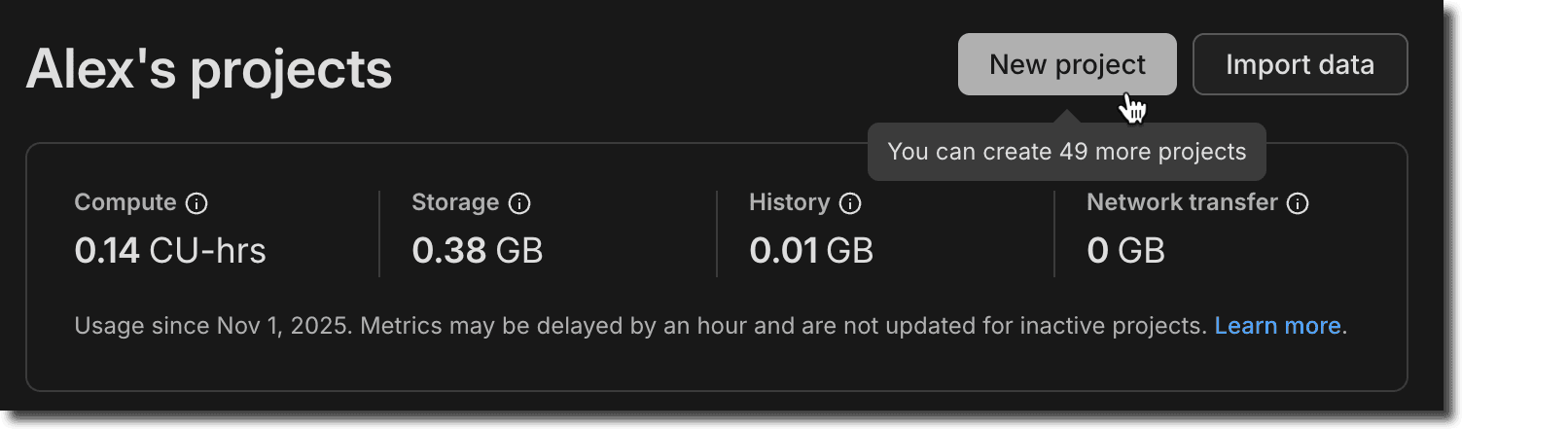
  • 50 projects

This gives you even more room for side projects, prototypes, experiments, and learning new stacks.

Dashboard page showing 50 Free Plan projects

This change applies automatically to all Free plan users. No action required. For more information about plan limits, see Neon plans.

Branch anonymization APIs

Last week, we announced Data masking for creating anonymized branches (see the November 14 changelog). This week, you'll find the APIs for this feature available in the Neon API reference.

Example request:

curl -X POST \
  'https://console.neon.tech/api/v2/projects/{project_id}/branch_anonymized' \
  -H 'Authorization: Bearer $NEON_API_KEY' \
  -H 'Accept: application/json' \
  -H 'Content-Type: application/json' \
  -d '{
    "masking_rules": [
      {
        "database_name": "neondb",
        "schema_name": "public",
        "table_name": "users",
        "column_name": "email",
        "masking_function": "anon.dummy_free_email()"
      },
      {
        "database_name": "neondb",
        "schema_name": "public",
        "table_name": "users",
        "column_name": "age",
        "masking_function": "anon.random_int_between(25,65)"
      }
    ],
    "start_anonymization": true
  }'

The new APIs include:

For usage examples and request/response details, see Data anonymization APIs.

Neon status page migration

We've migrated neonstatus.com to a new provider. The domain remains the same and all historical incident data has been preserved.

If you've previously subscribed to the Neon Status page via RSS, you'll need to update your feed. For instructions, see Neon status.

Fixes & improvements
  • Data masking page improvements

    • The Apply masking rules button on the Data masking page is now disabled when no masking rules have been changed, preventing unnecessary reapplication of masking rules.
    • Added placeholder text to the search field on the Data masking page to clarify that it searches for columns to anonymize.
  • API parameter deprecation

    • A redundant name query parameter in the Restore snapshot API endpoint has been deprecated. Use the name field in the request body instead.
  • Drizzle Studio update

    • The Drizzle Studio integration that powers the Tables page in the Neon Console has been updated to version 1.2.9. For the latest improvements and fixes, see the Neon Drizzle Studio Integration Changelog.
  • Fixes

    • The Restore branch from modal displayed before completing a restore operation now only shows an expiration date extension message for branches that have an expiration date set. Previously, the message was shown for all branches, even those without an expiration date.
    • Fixed an issue where timestamps shown on the Restore branch from modal were formatted inconsistently, alternating between UTC and local timezone. Timestamps now consistently display in your local timezone.
    • For the Neon Data API, we fixed an issue where PostgreSQL custom types (such as ENUMs) containing capital letters in their names were not handled correctly.
Was this page helpful?

Subscribe to our changelog.
No spam, guaranteed.